
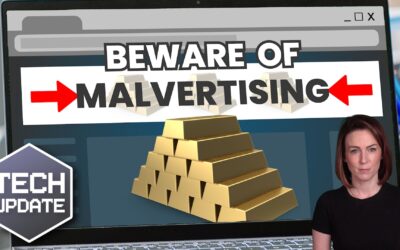
Beware these common ‘malvertising’ attacks
Ever clicked an online ad and wondered afterwards if it was a scam?… most of us have – and cyber criminals want us to keep doing it. Here’s what to look out for to stop your business’s data (and profits) falling into the wrong hands…

How to create secure passwords
Weak passwords are one of the biggest security risks to your business.
Why?
Because cyber criminals are getting smarter than ever before. If they manage to crack just one password, they could gain access to your sensitive business data, financial information, or even gain control of your entire system.
Cyber criminals use automated tools to guess passwords, allowing them to try out millions of combinations in seconds. So, if you’re using something like “Password123” or “CompanyName2025”, you’re practically handing them the keys to your business.
A compromised password can lead to big issues, such as:
• Data breaches
• Financial losses
• Identity theft
• Reputation damage
But how do you create strong passwords without driving yourself (and your team) mad?
Think of your password like a secret recipe, where only you should know the ingredients. It should:
• Be at least 14 characters long (the longer, the better)
• Include a mix of uppercase and lowercase letters
• Contain a few numbers and symbols (like @, $, %, or &)
• Not contain any common words or easily guessable information (like birthdays, names, or the word “password”)
Instead of using a single word, you could try a passphrase – a short, random sentence that only you would understand. For example, instead of “Sailing2025”, try something like “Coffee&CloudsAreGreat9!”. This is much harder to crack, yet still easy to remember.
You should also steer clear of these common mistakes:
• Using personal info (your name, birthday, business name, etc.)
• Reusing the same passwords across multiple accounts
• Using simple sequences (“123456” or “abcdef”)
• Storing passwords in an easily accessible place (like a sticky note on your desk)
If remembering unique passwords for every account sounds impossible, there is another option: Password managers. These generate strong passwords, store them securely and autofill them for you.
With a password manager, you only need to remember one strong master password for the manager app itself. The rest are encrypted and stored safely, reducing the risk of data breaches.
Even the strongest password isn’t foolproof, which is why multi-factor authentication (MFA) is also important. MFA requires a second form of verification, like a one-time code sent to your phone or generated from an authentication app.
If you have employees accessing your business systems, it’s a good idea to have a password policy in place to explain your rules and why they’re important. This should include:
• Unique passwords for each system and account
• Regular security training on password best practices
• Business-wide use of MFA for critical systems
• Scanning for compromised passwords regularly
By making password security a priority, you can reduce the chances of a cyber attack creating a nightmare for your business.
And if you need help making your business more secure, get in touch.
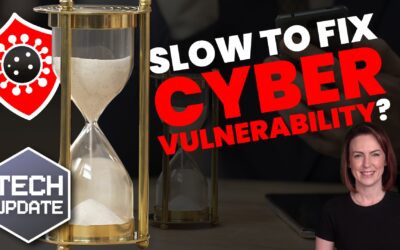
Businesses are taking too long to fix vulnerabilities
If you knew your systems were at risk of attack, you’d jump in and get things locked down fast – right? Actually… many businesses take too long to fix vulnerabilities. Here’s why that’s a problem.
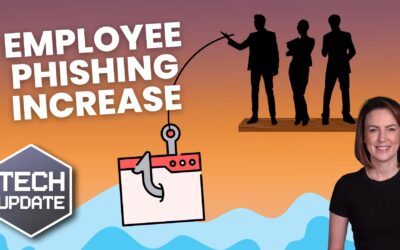
Employees are falling for 3x more phishing scams
Cyber criminals are getting smarter, and businesses are paying the price – especially when it comes to phishing attacks. Here’s what to watch out for…

Warning: Don’t ignore hardware requirements for Windows 11
You might be ready for the upgrade to Windows 11, but is your hardware? Running the upgrade without meeting the minimum requirements could slow down everything in your business – and Microsoft won’t be there to help…
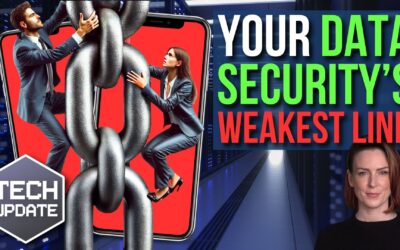
Are your employees your security’s weakest link?
Great employees have the same goals you do. But while they’re working hard to help your business succeed, they could accidentally be opening the door to cyber criminals. Here’s how to make your team your business’s strongest defence…

What’s your business’s view on Return to Office?
Do you love keeping your employees happy by allowing them to work remotely? Or do you think everyone is more productive in the office? Businesses are divided on this right now… here are some important considerations before you decide what’s best for your team.
Outdated backup systems could leave your business vulnerable
When did you last review your business’s backup tools? Outdated backup systems can fail to protect you from modern threats, like ransomware attacks. If you want a reliable backup system, here’s what you need to know…

Microsoft’s fixing this annoying Windows 11 fault
Fed up seeing useless “Recommendations” in the Windows 11 Start menu? Good news – Microsoft’s making them more helpful. Here’s how the improvements could help your team save time…
Beware that corrupted email attachment: It could be a scam
Cyber criminals get more creative every day. The latest scam designed to steal your business data uses corrupted Word files – and getting fooled is easier than you might think…

How many devices do you use every workday?
Are all the devices your team uses helping them stay productive – or hindering them? Every extra gadget means another thing to remember, charge, and carry. There’s a simple way to help streamline tech in your business…

FOMO is driving businesses to spend more on IT
FOMO – the fear of missing out – can creep into many aspects of your life. This can include FOMO over business tech, which is driving many businesses to spend more. But are you making the right choices for your business?