Microsoft is soon going to release its latest update for Windows 11, known as “Moment 5” or the “February 24 Moment.” This update is expected to start rolling out in the next few weeks and it comes with some noteworthy changes that you’ll want to keep an eye on.
But first, let’s address one thing: After this update, Microsoft is going back to its roots with annual updates for Windows 11.
What does that mean for you? Well, it means you can expect more stability and fewer major overhauls to your operating system. It’s time to bid farewell to those frequent “moment” updates and embrace a more predictable schedule.
Now, let’s dive into what Moment 5 has in store for us…
One of the standout features of this update is the enhancement of Windows 11’s built-in accessibility features. Microsoft is improving the user experience for those who rely on these.
Voice Access now supports multiple monitors and additional languages. It introduces “voice shortcuts” for custom voice-activated commands. Narrator gains the ability to preview new natural voices and works alongside voice access for various tasks.
One notable change is the ability to write directly into text boxes using a stylus across the operating system. This feature streamlines the use of digital pens, eliminating the need for a dedicated handwriting panel.
For the first time ever, Microsoft is making some in-box apps uninstallable. Apps like Edge, Camera, and Photos can be removed if you don’t intend to use them.
Microsoft is also making the Windows Search pane more flexible. This update allows third-party search providers like Google or Yahoo to create plugins for the Windows Search pane. So, if you prefer another search engine over Bing (and let’s face it, many of us do), you’ll have the option to switch.
The Nearby Share feature (it’s like Apple’s AirDrop) gets a boost with “friendly name” support. You can give your PC a more readable name, making file sharing more user-friendly. Additionally, Windows Spotlight, which displays Bing’s background of the day, will become the default wallpaper setting.
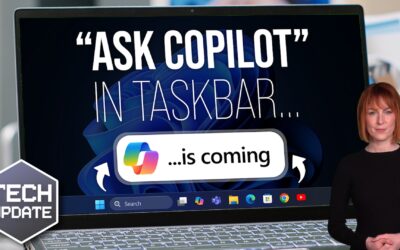
Copilot is getting better. It can now be “undocked,” making it more versatile and accessible. You’ll also find the Copilot interface in the Windows ALT+TAB menu for quick and easy access.
And Microsoft is making changes to the Widgets Board. You’ll be able to disable Microsoft News integration, allowing for a widget-only layout if you prefer not to have news headlines in your Widgets Board. Plus, third-party news services can build plugins to integrate with the Widgets Board, providing more options for users.
Notepad will include a character count feature and an “Edit with Notepad” shortcut in context menus for select file types.
In a nutshell, Moment 5 brings a host of improvements and enhancements to Windows 11, making it more accessible, user-friendly, and versatile.
For business owners, these updates can improve productivity and streamline workflows for you and your team. If you haven’t already made the move to Windows 11, now’s the time! We can help you with that – get in touch.